
Discord
Connect your Discord account to ELEVATEX to receive the Verified role and Premium role in the ELEVATEX Discord.
First install only
If you just installed ELEVATEX for the first time, restart your computer before connecting Discord. Windows needs a reboot to associate the app with the deeplink. This is only required after the initial install.
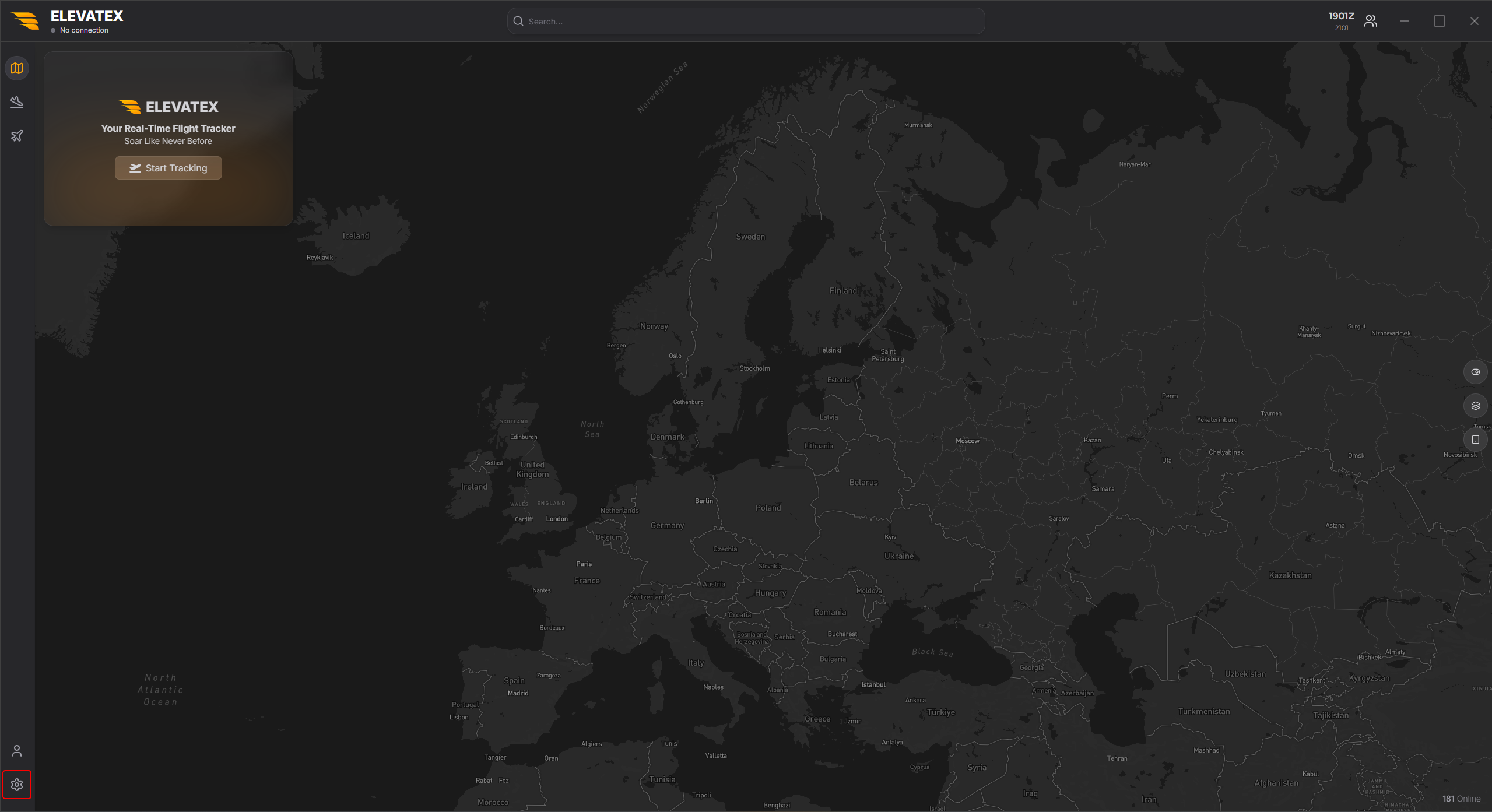
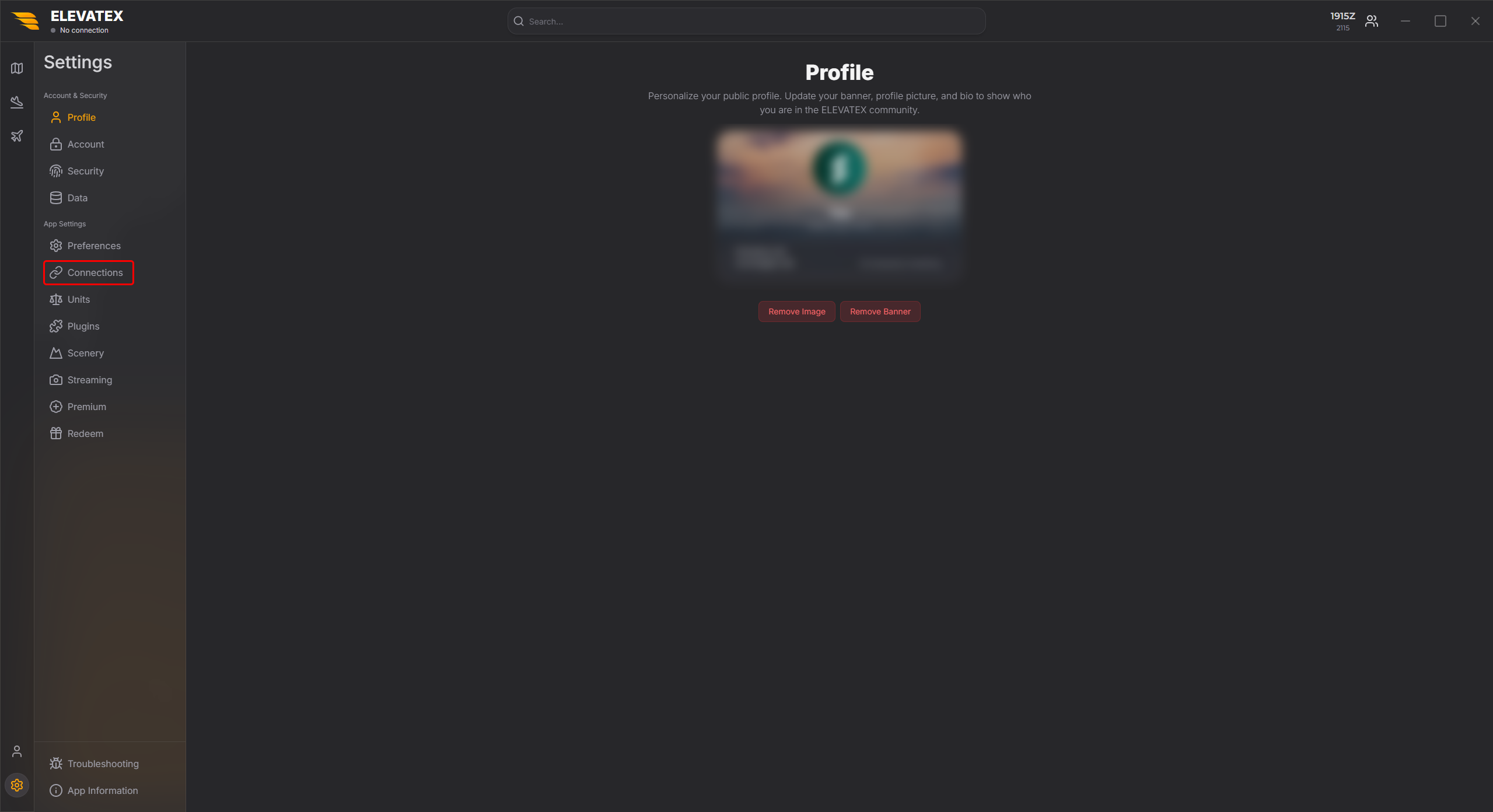
Connect Discord
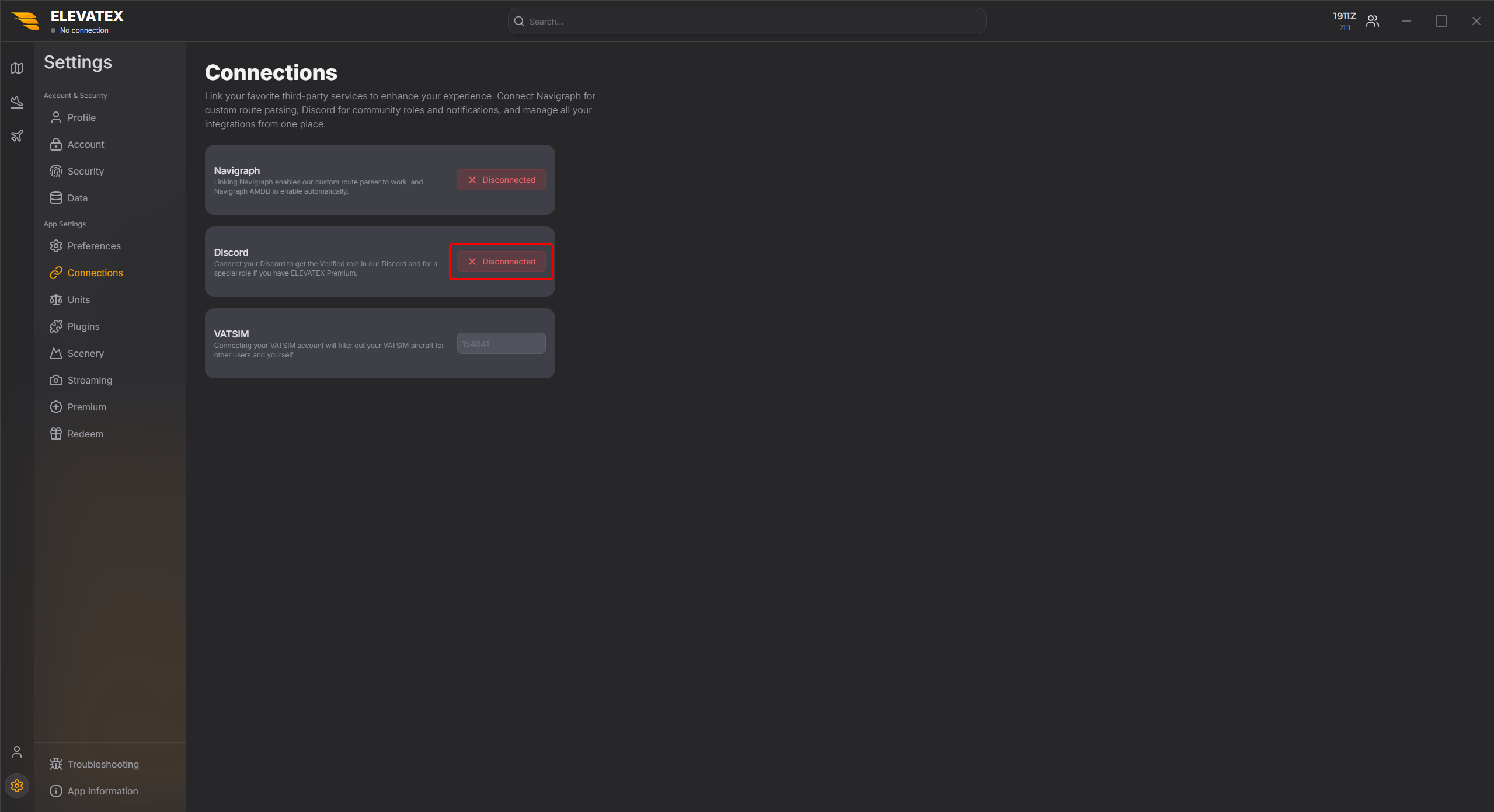
Find the Discord button:
- Red: Discord is disconnected. Click it to connect.
- Green: Discord is already connected.
What you get
Once connected, you receive the Verified role in the ELEVATEX Discord. If you have an active Premium subscription, you also receive the ELEVATEX Premium role.